Managing My Finances with My Coding Agent
Last week, OpenAI announced a new personal finance experience for Pro users of ChatGPT, who can now link their bank accounts to the platform and start asking AI about their finances.
There are clearly several advantages to this. For one, querying your financial data via natural language is far more convenient than trying to navigate your bank's clunky website. Not to mention, LLMs can combine information from other sources (the web, for instance) to answer a broader range of questions.
Fortunately, you don't need ChatGPT Pro to use this feature (I, for one, don't have an active subscription). I've been using my coding agent to accomplish something similar for a few weeks now, and I thought it'd be useful to share my workflow in this post.
Pick a harness, any harness
They all seem to be converging on something similar, so at this point, use whatever you're most comfortable with.
I personally use pi because of how extensible (and flicker-free) it is.
Accessing your financial data
Plaid, which is what ChatGPT uses to link your bank accounts, is also available as a CLI tool. It allows you to view account balances, transaction history, investments, and more. This is how your agent accesses your financial data.
Note that you'll have to sign up for the Free Trial before you can connect your account(s) to Plaid.
A personal finances skill
Your agent needs to know that plaid is available for accessing your financials when you ask about them. You might also have some guidelines regarding your financial data that you want to inform the agent of.
A skill is great for this!
Skills are useful because they employ progressive disclosure: a skill's frontmatter (name + description) is the only thing that's automatically injected into context before a chat session begins. This means that the agent knows about the skill's existence and the nature of its content, so it can read the skill file in full only when necessary.
You can find my /finances skill here.
At this point, you're ready to ask your agent financial questions. Try "Am I cash flow positive this month?" or whatever else comes to mind.
Visualizing the data
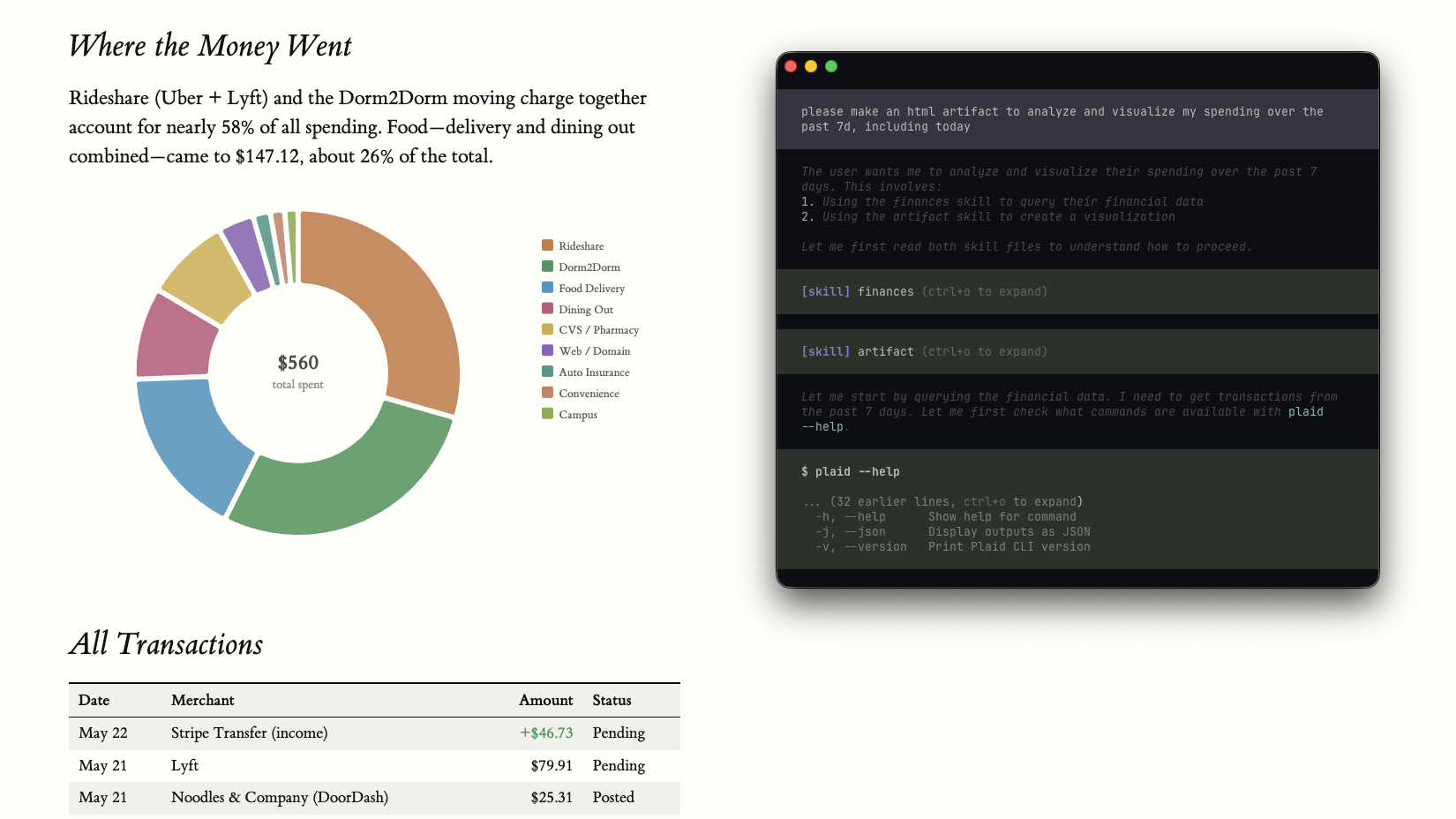
Text is usually not the best medium for digesting financial information. HTML, on the other hand, can be unreasonably effective for a multitude of reasons. For our financial use case, the value of charts cannot be overstated.
One of my other skills comes in handy here: /artifact. I use it to generate standalone, self-contained HTML pages in the /tmp directory.
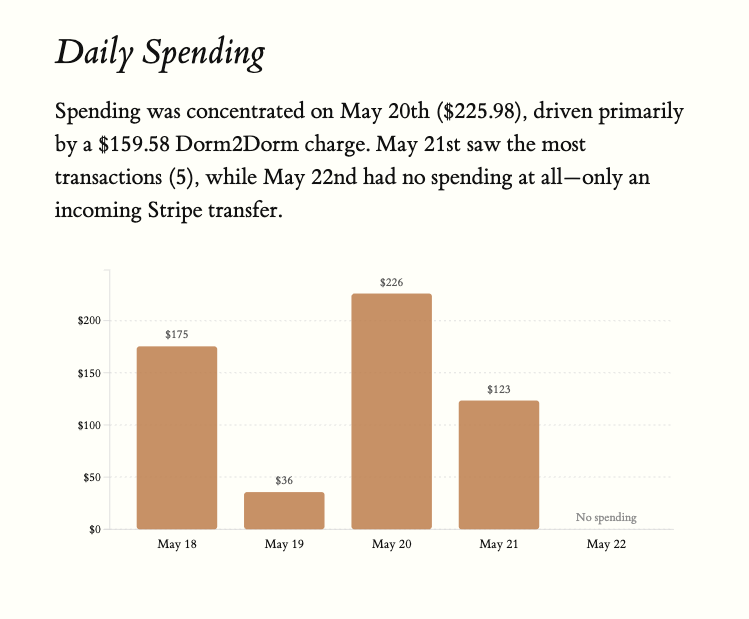
Your agent can create stuff like this when it uses /artifact in conjunction with /finances:
Budgeting on the go
With the power of Tailscale and caffeinate, you can even chat with your agent from your phone 🙂